
Empowering Business Through Technology

Pioneering customized web and mobile application development with a focus on excellence.

CEO Of WeboConnect
Global Clients Global Clients
200+

Global Clients

Successfully Delivered Successfully Delivered
250+

Successfully Projects

Years of Excellence Years of Excellence
8+

Years of Excellence

client retention client retention
97%

Client Retention

SaaS Development

Our team specializes in creating seamless and efficient SaaS solutions that redefine how businesses operate. With a focus on precision, reliability, and industry best practices, we deliver systems that drive performance and success.

Web & Mobile Application Development

Our custom web and mobile applications enhance operational efficiency, improve user interaction, and deliver impactful digital experiences tailored to your business goals and ever-evolving market demands.

Healthcare Staffing App Development

From recruitment to resource allocation, our healthcare staffing apps optimize every aspect of workforce management, enabling organizations to meet growing demands while focusing on patient care.

Maintenance & Support

We provide continuous system monitoring, timely updates, and expert issue resolution, ensuring your digital platforms operate seamlessly with maximum uptime and minimal disruptions.

Hire Dedicated Resources

Our dedicated resources provide the focus and technical expertise you need to drive project success, meeting goals faster and delivering results that exceed expectations.

WE UNDERSTAND OUR CLIENTS

We Listen To Our Clients
We Listen and Understand
We Focus On Solutionss<
We Offer Real Solutions
We Develop Straggles First
We Prioritize Strategic Thinking
We Deliver what we promise
We Deliver Without Compromise
We believe in teamwork
We Believe inUnified
Efforts
We are friendly
We Are Supportive and Accessible
We are methodical & logical
We Think Strategically
and Logically

Turn Concepts Into Reality

Partner with WebOConnect to bring your ideas to life through cutting-edge technology and unmatched expertise. Together, let’s define the future of innovation.
Contact Us

We Master Every Corner of Technology

With expertise in almost every programming language, our 4,000+ team delivers dynamic solutions that align with modern business demands.

Node Js Logo

Node Js

React Js Logo

React Js

Laravel Logo

Laravel

Python Logo

Python

Flutter Logo

Flutter

Java Logo

Java

Swift Logo

Swift

Codeigniter Logo

Codeigniter

Artificial Intelligence Logo

Artificial Intelligence

Machine Learning Logo

Machine Learning

Kotlin Logo

Kotlin

React Native Logo

React Native

Our Trusted Alliances

Your Trust, Our Strength

Every partnership reflects the trust and confidence our clients place in us. Together, we create impactful solutions that inspire growth and pave the way for long-term success.

Why Trust Us?

Pioneering innovative solutions with technical excellence.

We’re here for you, 24/7.

A portfolio that speaks for itself.

Every solution is tailored for impact.

Smart solutions for your time and money.

From ideation to execution, we do it all.

Transformative strategies from experienced visionaries.

Specialized solutions for every domain.

A history of consistent success.

Passionate experts ready to innovate.

Your needs define our approach.

Delivering clarity and results, every time.

Focusing only on what mattersβ€”your success.

Delivering exceptional value within your budget.

Your project is always our top priority.

Solutions powered by the latest innovations.

Industries We Serve

Healthcare Icon

Healthcare

Finance Icon

Finance

Retail & E-commerce Icon

Retail & E-commerce

Education Icon

Education

Travel & Tourism Icon

Travel & Tourism

Real Estate Icon

Real Estate

Media & Entertainment Icon

Media & Entertainment

Automotive Icon

Automotive

Lifestyle

Lifestyle

Productivity

Productivity

Beauty Icon

Beauty

Communication

Communication

OUR LATEST BLOGS

When should you move from a Monolith to Microservices?
26 May 2026

When should you move from a Monolith to Microservices?

What is Monolithic vs Microservices about?&nbsp; Monolithic vs Microservices is not about hype. It is about packaging. A monolith bundles UI, business logic, and data access into one deployable. You build once and ship once. That feels simple at the start. Microservices break that same app into smaller pieces. Each piece talks over the network, owns its own data, and ships on its own schedule. You fix one thing without redeploying everything, which teams appreciate. Monoliths give you strong transactions. Debugging is simpler because it all runs in a process. You avoid network chatter. Microservices let you scale hot parts only, pick different tech where it fits, and align code with business domains. That reduces handoffs. The trade-off is complexity. You swap a method call for a network call. Now you think about partitions, eventual consistency, retries, and versioned contracts. Neither wins every time. What matters is team maturity, ops tooling, and clear boundaries. Modularizing inside the monolith first buys time and makes splits easier. How do you spot the signals for scaling software architecture? &nbsp;Scaling software architecture past one codebase starts when friction is daily, not monthly. You feel it in standups. One of the strongest triggers for Monolith to Microservices is deployment contention. Twenty engineers in one repo, every release needs a meeting, merges get messy, a billing change breaks search. Another signal is uneven scaling. Your batch job wants memory, and checkout wants low latency. A monolith forces you to scale everything together and waste money. Fault isolation matters. If a small bug takes down the whole app, you lack isolation. Long builds hurt too. Fifteen minute builds and hour long tests kill feedback and slow learning. Sometimes compliance pushes you, like data residency. When you see two or three of these, splitting helps more than tuning. Track them monthly. Data beats gut feel when talking to leadership. Why do teams chase the Benefits of Microservices in Enterprise Application Architecture? People talk about the Benefits of microservices as if it is only speed. In Enterprise Application Architecture, the biggest win is organizational, and many miss it. Small teams own a service end to end. Design, code, deploy, on call. That cuts dependencies. You ship one service without touching the rest, so lead time drops. Fault containment improves. A leak in recommendations does not kill payments. You pick the right tool, maybe Redis or ClickHouse, without a full rewrite. That helps the product move. Elasticity is cheaper because you scale what is busy. Governance gets simpler;, each service enforces its own limits. None of this happens by accident. You need observability, pipelines, and clear contracts. Skip those, and you get distributed spaghetti that is painful. What does a software system migration actually cost you? &nbsp;Budgeting for Monolith to Microservices must include more than new code. A software system migration brings failures you did not have before, often at night. You need retries, timeouts, circuit breakers, and idempotency. You design for partial failures because networks fail. Data gets harder. One commit becomes a workflow. You need sagas, outbox publishing, and careful schema evolution. You replace joins with APIs. That changes modeling. Ops load rises. Every service needs CI, security scans, and deployment automation. Teams shift to real DevOps ownership, which is a skills change, not tools. During the move, you live with dual writes and strangler proxies. It is messy. Without platform investment, speed disappears into incidents. Security surface grows, too. You need service auth, secrets, and patching across many repos. How do you make a practical decision about Monolith to Microservices? &nbsp;Use a simple checklist for Monolith to Microservices. Keep it honest. First, check boundaries with domain-driven design. If you cannot name clean contexts, you will build chatty services that couple tightly. Second, measure pain. Pull three months of deployment frequency, change failure rate, mean time to recover, and build time. Numbers help. Third, check readiness. Do you have orchestration, gateway, and observability in prod now, not slides? Fourth, run cost math. Include infra, licenses, and platform headcount. Be realistic. Fifth, go incremental. Use strangler fig to route traffic piece by piece. It lowers risk. Sixth, set provable goals. Cut lead time by fifty percent. If you cannot check three, keep improving the monolith. Document decisions for future teams. So, is moving worth it? &nbsp;Moving to Monolith to Microservices is a business call, not a badge. Monoliths shine early, and where transactions matter. Microservices shine when team size, independent deploys, and uneven scaling dominate. It takes investment in platforms, observability, and teamwork. Use signals and a staged plan. Wait until boundaries and ops are ready. Revisit every six months so architecture follows business, not hype. Faqs 1. What is the most reliable indicator that a monolith has reached its limits? &nbsp;It is sustained deployment friction that you cannot fix with tooling. You see release queues, rollbacks hitting unrelated features, and builds blocking developers. When modularizing stops reducing coupling, and you spend standups coordinating releases, you have hit the limit. That is when I start drawing boundaries and talking to products. 2. How does monolithic vs. microservices affect database design? &nbsp;Monoliths usually use one relational database with ACID transactions. It is simple until the scale hits. Microservices push data ownership per service, so you get polyglot persistence and eventual consistency. You replace tables with APIs and events. That means you need sagas, outbox publishing, and careful schema evolution to stay correct over time. 3. Are microservices necessary for scaling software architecture in the cloud?&nbsp; No. The cloud scales monoliths fine with auto scaling and managed databases. Scaling software architecture with microservices fits when parts need very different resources or teams need independent shipping. If the load is even and the team is small, a tuned monolith is cheaper and simpler. Do not split just because others did online. 4. What are the often overlooked benefits of microservices? &nbsp;Beyond speed, you get better security isolation and clearer audit ownership. You can try a new runtime in one service without rewriting everything. In large companies, that lowers modernization risk. Vendor integrations get easier because they live on separate lifecycles and upgrade alone without meetings. 5. How long does a typical software system migration take?&nbsp; It depends on coupling and domain clarity. One bounded context often takes three to six months with a focused team. A full enterprise decomposition can take years. Use an incremental strangler approach to avoid big bang risk. You deliver value along the way instead of waiting for a reveal. 6. What prerequisites should exist in Enterprise Application Architecture before starting?&nbsp; You need automated CI CD, infrastructure as code, centralized logging and tracing, API management, and a platform team. In Enterprise Application Architecture, you also need governance for contracts, versioning, and security baselines. Without those, services multiply with different standards, and you create operational debt fast, which slows everyone down. 7. Can a modular monolith be a final state instead of microservices?&nbsp; Yes. A modular monolith with strict boundaries, separate schemas, and internal APIs gives maintainability without distributed tax. For limited ops maturity or strong transactions, it is often best long term. It also keeps the door open to extract services later when you truly need them, not earlier.

Read More
How to Conduct a Security Audit Before Launching Your Web App
25 May 2026

How to Conduct a Security Audit Before Launching Your Web App

If you skip security right before launch, you are basically rolling out a welcome mat for trouble. I have watched teams learn this the hard way. A structured web application security audit catches the dumb slip-ups and the sneaky edge cases before real users do. It also leaves you with receipts, so you know what you checked, what you patched, and why you slept okay after shipping. You do not need a huge security team for this. You just need a repeatable process that fits how you already build. Define the scope and Assets First, get honest about what you are actually auditing. Write it down where everyone can see it. Front end, mobile web, APIs, admin panels, those third-party webhooks everyone forgets, databases, queues, file storage, background jobs. All of it. Note what data lives where, who can touch it, and where trust changes hands. Miss an asset and you will miss bugs, guaranteed. Put an owner on each piece. Record the stack, the cloud account, and the pipeline that deploys it. This map is what keeps testing honest. Update it every sprint. When someone new joins, point them here first. It saves a full day of &quot;where is that&quot; messages. Build a Practical Website Security Checklist Deadlines make everyone cut corners. A checklist is your guardrail. Your website security checklist should stay short. Force HTTPS everywhere, turn on HSTS, mark cookies Secure and HttpOnly, set a real Content Security Policy, and add X-Frame-Options plus Referrer-Policy. Go hunt for default creds, stray admin pages, and that one port you left open on staging. Check libraries against known vulns, and keep secrets in a vault, not in your git history. Put the list in the repo and walk through it in planning. If a check fails, file a ticket right then. Do not let it drift. Run a second web application security audit pass with that same checklist right before release to prove fixes are stuck. Run a Vulnerability Assessment for Web Apps A vulnerability assessment for web apps is your quick sweep. Fire up OWASP ZAP, Burp Suite, or whatever scanner you actually trust, point it at staging, and crawl both logged-out and logged-in. You will catch SQL injection, reflected and stored XSS, open redirects, insecure deserialization, and sloppy CORS pretty fast. Make a test user for each role. That is how privilege issues pop up. Map findings back to your SBOM, prioritize anything with a public exploit, and note false positives so you do not waste time twice. During a web application security audit, this scan gives you breadth, but it won&#39;t catch business logic abuse on its own. Run it weekly so the drift does not pile up. And review the results with developers, not just security. Fixes are more practical that way. Include Application Security Testing in Your Pipeline Application security testing should run daily, not once at the end. Add SAST to pull requests to catch hard-coded keys, dangerous functions, and weak crypto before merge. Spin up preview envs and run DAST automatically. Add SCA to block bad packages at install time. Scan your IaC too. Open S3 buckets and wide-open security groups love to sneak in. Break builds on critical, track time to fix, and show results where devs already work, not in some separate dashboard. When the gates run early, later reviews can focus on real risk instead of hygiene. Keep the signal clean so the team actually trusts it. Perform Web App Penetration Testing Web app penetration testing is where a person thinks like an attacker. They chain little issues together, bypass client-side checks, and poke at logic by changing prices, reusing coupons, or pulling other users&#39; data via IDOR. Give them proper scope, test accounts, API docs, and a staging build that actually matches prod. Ask for clear reproduction steps, honest severity, and fix advice you can act on, not just CVSS scores. Patch the highs and critical, then get a retest and keep that proof. Scanners miss this stuff. Budget for the retest. Without it, the report is just paper. Share it internally. Transparency builds better defenses. Finalize With Pre-Launch Security Testing Pre-launch security testing is your final gut check. Check third-party scripts for SRI hashes and minimal permissions. Save the reports, screenshots, and approvals. Do not ship until critical and highs are closed, or accepted with a written risk note. Do a rollback test too. Confidence comes from knowing you can revert. Summary Skipping pre-launch security invites trouble. You don&#39;t need a huge team for a web application security audit, just a solid routine. Take stock of what you have, and stick to a short checklist that hits the basics, like HTTPS and secure cookies. Then make sure you have automated tests running every day. But don&rsquo;t rely on the scanner alone; do a manual pen test to catch any oversights it might have let slip by. And when it comes to instilling trust, make sure you are in line with what OWASP calls for. FAQS 1. Why is a web application security audit right before launch so critical?&nbsp; Look, if you skip that last check, you are just asking for it. I have watched launches blow up over one dumb config. A quick audit finds the silly stuff and the weird edge cases before a user does. And honestly, it is the only reason you will sleep that night. 2. Do I need a massive security team to pull this off? Nah. You do not need a big team. You do not need a big budget either. You just need a tiny habit that your devs will actually do without complaining. 3. What are the absolute must-haves on a security checklist? &nbsp;Keep it stupid short. HTTPS on everything. Cookies set to Secure and HttpOnly. A CSP that is not just default-src. Kill any default passwords. Close those random admin pages you left open on staging. Oh, and secrets go in a vault. Never in git. Ever. 4. Why should I automate my security testing instead of doing it manually?&nbsp; Because the manual at the end never happens. Put the scans in CI. Every push. That way, you catch the hard-coded key on the same day. 5. If I run automated scanners, do I still need a manual pen test?&nbsp; 100% Scanners are blind to logic. They will not try to buy something for $0.01 or reuse my coupon ten times. A real tester will, and they will show you exactly how. 6. How does using the OWASP framework actually help my business? It stops the paperwork nightmare. You point to ASVS, buyers nod, and you are done. No more rewriting the same answers for every security questionnaire. Deals close faster&zwnj;. 7. What is the final gut check I should do right before pressing &quot;launch&quot;?&nbsp; Freeze it. Deploy to a prod clone. Restore a backup for real, do not just assume it works. Hammer it, watch the limits, check that alerts actually ping your phone. Then roll it back. If the rollback is clean, you are good to go. &nbsp;

Read More
How to Launch a Sustainable MVP for Under $10,000 with Indian Developers
22 May 2026

How to Launch a Sustainable MVP for Under $10,000 with Indian Developers

The average US-based MVP costs $30,000 to $150,000. Yet successful startups are shipping in weeks for under ten thousand. Founders bleed cash because they equate high budgets with market readiness. This logic breeds bloated products that fail before finding a single user. You do not need a massive budget to validate a business model. We cover the core cost drivers and a step-by-step launch strategy for lean product teams. You will learn how to build an MVP under $10000 without shipping disposable junk. You will also learn how to leverage an offshore development team in India to stretch your runway. We included an instant quote tool to run your own numbers. What is a sustainable MVP? A sustainable product is built to iterate. You launch, gather data, and scale the existing codebase. You do not throw the initial code away and start over. Minimal viable product does not mean broken product. It means lean scope paired with a scalable tech stack and clean architecture. Skipping the discovery phase guarantees expensive rebuilds later. Do not hire local full-time staff before validating your offer. A competent SaaS MVP development company will reject your unnecessary feature requests. You must build an MVP under $10000 by stripping the product down to its absolute core utility. What drives MVP development cost Feature complexity dictates your final bill. Simple applications cost significantly less than real-time platforms. Every added feature compounds your MVP development cost. Platform choice matters immensely. Building native mobile apps for two operating systems simultaneously burns cash. Web apps solve the same problem for a fraction of the price. Team location changes everything. Western agencies charge two hundred dollars an hour. Engaging an offshore development team in India delivers identical code logic for thirty dollars an hour. &nbsp; Tier Cost range Team structure Team structure Simple $5k to $10k 1 dev, 1 designer 4 to 6 weeks Mid $10k to $30k 2 devs, 1 QA 8 to 12 weeks Full $30k to $80k Full scrum team 4 to 6 months &nbsp; Design fidelity is another massive cost driver. If you plan to build an MVP under $10000, wireframes and component libraries save thousands. Use affordable MVP development services that understand utility over traditional methods. How to build an MVP under $10,000 Define the core problem and one single user action to fix it. Build a lean feature list using the Moscow method. Cap the product to five core user flows. Choose React and Node for speed and future scale. Allocate sixty percent of your budget strictly to development. Launch the product to a closed group of ten users. Measure three specific metrics to validate the build. Your first launch is a learning mechanism, not the final product. Good startup MVP development is an exercise in restraint. To build an MVP under $10000, keep your focus narrow. Real-world MVP examples built under $10k A local service booking platform launched for $8000. The founder used a pre-built calendar component and a standard payment gateway. They validated the market and processed thousands of transactions in month one. A property management tool reached the market for $9000. They used affordable MVP development services to aggregate utility data. The users cared about the data output, not custom animations. A niche audio equipment marketplace shipped for seven thousand dollars. They prioritized search speed over a custom messaging system. To build an MVP under $10000, they integrated a cheap third-party chat plugin instead of writing custom code. Estimate your MVP development cost instantly Stop guessing your financial requirements. Our MVP quote calculator takes your platform, understanding complexity, and note requirements into account. It gives an estimated range and team size recommendation. Get an instant ballpark figure in sixty seconds without providing an email address. Thousands of founders use this tool to sanity check their budgets. You will see exactly where your money goes. If the number is too high, cut a feature and run the numbers again. Talk to our experts when you have a realistic scope. You must know your numbers if you want to build an MVP under $10000. Why is it important to decide on a budget for MVP development Capital is finite. Every dollar spent on unproven features is a dollar stolen from customer acquisition. Shipping late is worse than shipping an ugly product. You are building a business, not a code museum. The architecture must be sound, but the feature set must be strictly controlled. Your first users simply want their problems solved. Set your budget and ruthlessly cut your scope. To build an MVP under $10000, you must manage your ego and rely on market feedback. Let the users dictate your next phase of growth. What&#39;s one feature you&#39;re planning to build that your users haven&#39;t explicitly asked for?&nbsp; Summary Most founders burn their runway overbuilding their first release. You do not need a massive budget to validate a business model. This guide explains how to build an MVP under $10000 by taking away the what-ifs and focusing on core utility. The strategy depends on a lean view, clean architecture, and utilizing an offshore team to stretch your capital. We show you how to cut expensive features, skip custom design work, and launch a scalable product that actually solves a problem. Every dollar you spend should make you understand market feedback.&nbsp; Faqs 1. How much does it cost to build an MVP in 2026? Generally, to build an MVP, the US market needs to keep a budget of $15000. But with hiring dedicated developers from the Indian market, a sustainable MVP development, without any compromise on quality, is also possible for just $10000. Calculate the exact hiring cost of dedicated resources using WebOConnect&rsquo;s quote calculator.&nbsp;&nbsp; 2. Can you really build a Saas mvp under ten thousand dollars? Building an MVP in the US typically costs around $15,000. But here&#39;s the thing, if you hire dedicated developers from India, you can build a solid, quality MVP for just $10,000. Ten grand covers the core features that solve your problem, not the nice-to-haves. 3. How long does it take to develop an MVP? Simple MVP builds take four to six weeks. Complex projects demand three to four months. The difference? Scope and focus.Freelancers juggle multiple clients, context-switching constantly. Dedicated teams work full-time on your project. No distractions means faster delivery. 4. What is the cheapest way to build an MVP? The cheapest way to build an MVP is to validate the idea first and then start developing. Generally, founders use PPTs or Google Docs to explain to developers what to build, creating numerous confusions and continuous re-work. Start by building a prototype first, using AI or expert brands like Protobuild.co. Later, build an MVP with a clear understanding of the product and flow, making it affordable and faster. 5. How do you decide which features are non-negotiable for launch? Look strictly at your product&#39;s core utility and identify the single workflow your users need solved immediately. If a feature does not directly address that primary pain point, it is an unnecessary distraction that steals capital from your customer acquisition budget. Let early user feedback dictate your next phase of growth rather than relying on speculative engineering. 6. Should you build a mobile app or a web app first? Google&rsquo;s latest search algorithms mandate a mobile-first approach for ranking authority. Since users instinctively prioritize handheld devices, opting for native mobile architecture over standard web applications is a strategic necessity. Native builds offer superior engagement, offline functionality, and direct access to device hardware that web layers simply cannot replicate. In the current market, ignoring mobile optimization is a recipe for invisibility. Prioritizing native development from your first release ensures a competitive edge over those still relying on legacy web frameworks. 7. What happens if you hit the ten thousand dollar limit before finishing? You&#39;re falling behind on scope. Stop development immediately. Cut any feature that isn&#39;t already built and launch what you have right now. Plan ahead of time. Get a transparent price quote from developers with clear timelines upfront. At WebOConnect, we provide transparent costing before you start and cover all delays at no extra cost. No surprise price hikes, no hidden fees. What you see is what you pay.

Read More

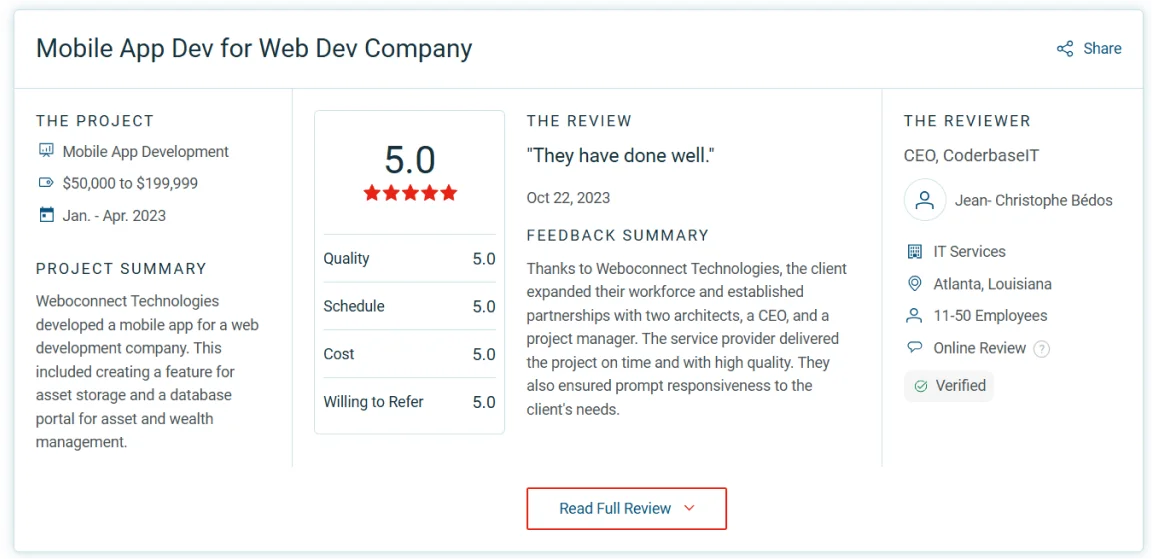
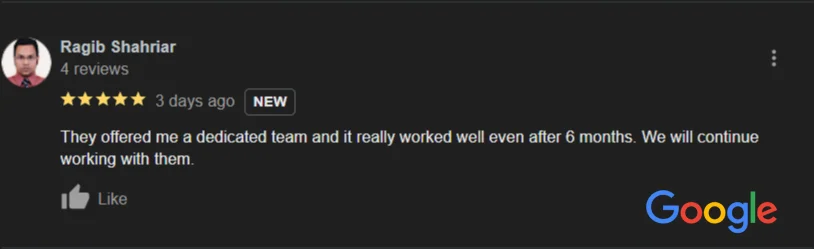
Our Clients Love Us! Here’s What They Have to Say

weboconnect testimonials

Ready to Build Something Extraordinary?

Join hands with our expert team to create impactful, cutting-edge applications that redefine excellence.

Ready to Build Something Extraordinary?

Join hands with our expert team to create impactful, cutting-edge applications that redefine excellence.
[email protected]